

 Deutsch
 Français
 Türkçe
Supplier invoices
Prepare references, suppliers and totals while payment approval stays with the business.

Endurion Ledger proposes extracted values from invoices, inspection records and job documents. Required fields and inconsistencies are checked before an approved record reaches your target system.
Ledger is configured for your documents and systems. It is not an off-the-shelf application ready to use on this website.
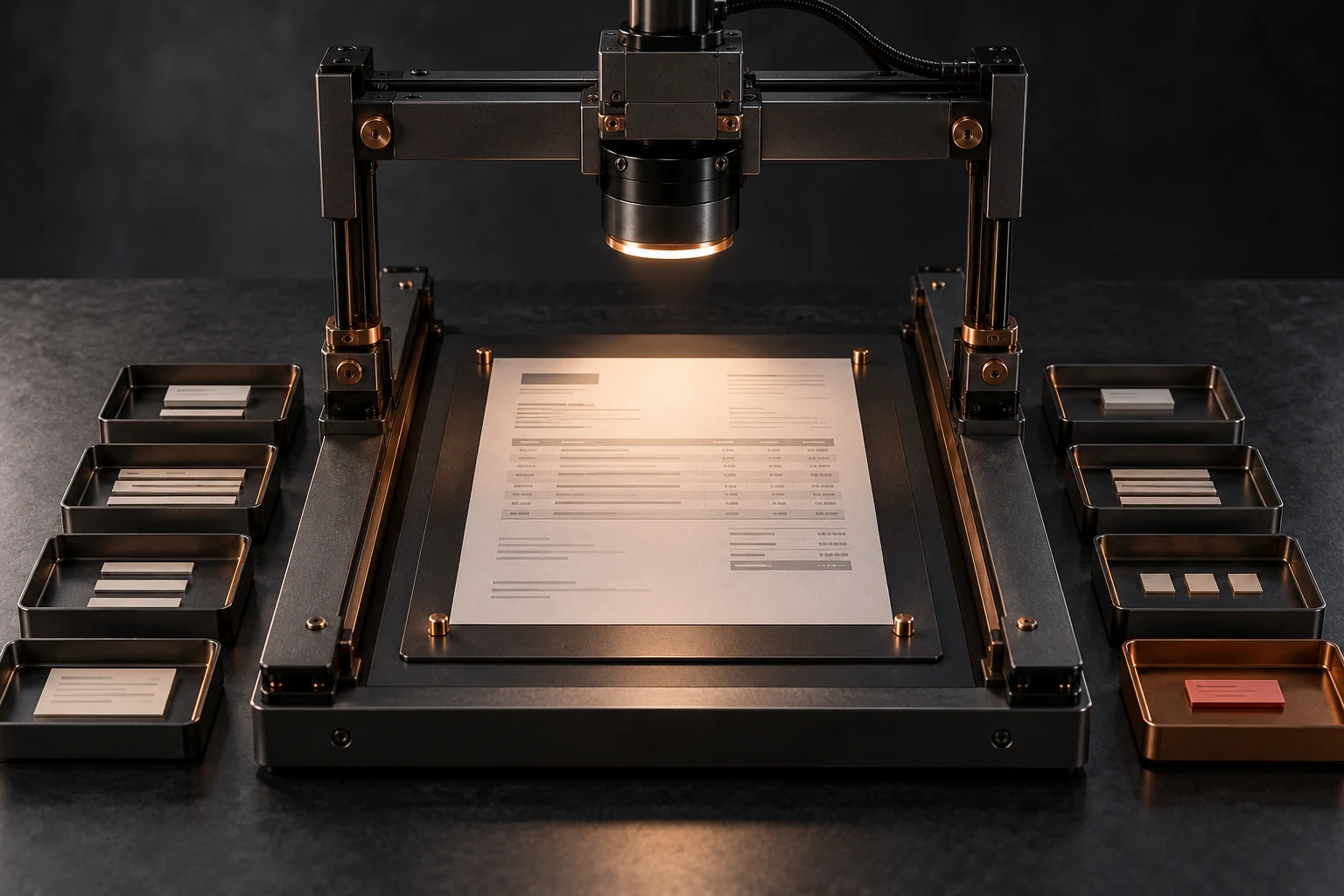
Recognising a number is not enough: it must belong to the correct supplier, job and period. Ledger combines extraction with business rules and a visible exception path. Approval stays separate from reading the document.
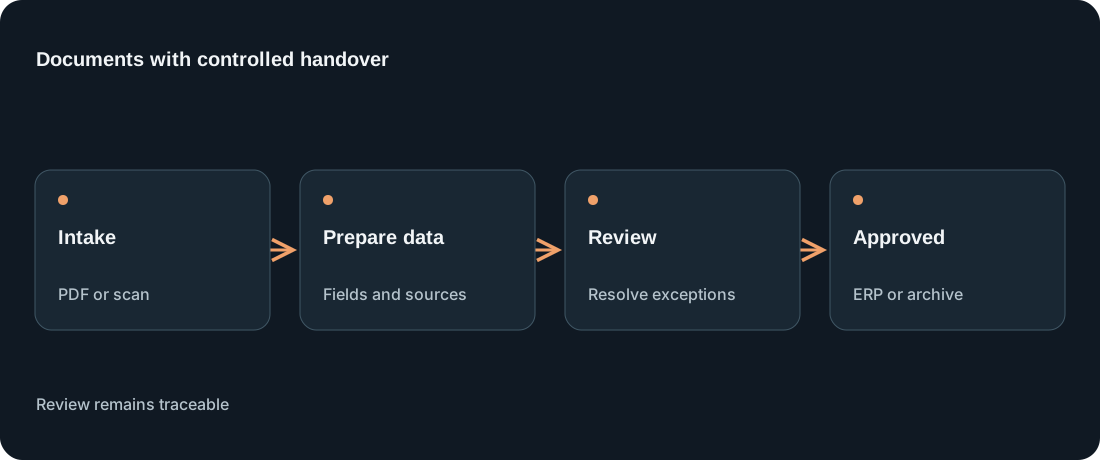
Swipe the diagram sideways. Full step descriptions follow below.
Defined inboxes or repositories accept approved file formats with recorded origins.
OCR or suitable AI models propose document type, dates, references and line items.
Missing fields, duplicates and inconsistencies appear in a traceable review screen.
Approved records can move through an API or documented export into the target system.
The result is a checked record linked to its source document. A separate approval determines whether it triggers a posting or another action.
Prepare references, suppliers and totals while payment approval stays with the business.
Capture equipment IDs, dates and checks; highlight missing required entries.
Transfer customer details and line items without triggering unreviewed commitments.
Illustrative scenario, not a customer reference or measured result.
A maintenance business receives inspection records and invoices from different suppliers. Details must match equipment, jobs and purchase orders. Ledger prepares the values and exposes missing or conflicting information for review.
Discuss your own workflowOpen the document, retype references and amounts, find the order, resolve discrepancies by email and file the document.
Propose the document type and values, apply agreed checks, route exceptions to the responsible person and transfer only approved data.
Supplier invoices, delivery notes, maintenance records, inspection reports and recurring forms with identifiable required fields.
Readable, representative samples are tested in the pilot. Faint text, handwriting and irregular tables increase review needs; OCR is not error-free.
Outlook/Exchange and SharePoint can supply documents. OCR or a suitable AI model supports extraction; ERP, document management or ticketing receives approved data through checked interfaces or exports.
Document processing alone does not approve payment. Posting or payment integration needs separate permissions, checks and explicit agreement.
Poor scans, handwriting and unusual tables can cause recognition errors. Unresolved values are not silently accepted. Payment approval and binding postings require a separately agreed process.
Existing APIs, import formats and controlled exports are checked first. Replacing the ERP is not a prerequisite; a reliable handoff is.
We agree document types, field definitions, data quality and target systems with business owners. The pilot measures recognition errors, exceptions and remaining review time to determine which processing can safely proceed.
Data scope, access, processing location and deletion are agreed beforehand. Unneeded details stay out of the workflow; production samples require approval.
Change the assumptions. This models potential released capacity, not guaranteed savings or a quote.
Monthly volume × (current minutes − projected minutes) ÷ 60 = hours. Multiply by assumed hourly labor cost for illustrative time value. Implementation, licensing, review and operating costs are not deducted.
Use these answers to define technical prerequisites, remaining review work and the first project scope.
Readable, representative samples are tested in the pilot. Faint text, handwriting and irregular tables increase review needs; OCR is not error-free.
Document processing alone does not approve payment. Posting or payment integration needs separate permissions, checks and explicit agreement.
Existing APIs, import formats and controlled exports are checked first. Replacing the ERP is not a prerequisite; a reliable handoff is.
Data scope, access, processing location and deletion are agreed beforehand. Unneeded details stay out of the workflow; production samples require approval.
Document access, processing, retention and target permissions are defined separately. The pilot measures extraction errors, unresolved cases and remaining review time, rather than just the number of processed PDFs.
More about implementationNo. Poor scans, handwriting and inconsistent layouts limit extraction. We test with approved real-world examples.
This depends on available interfaces and permissions. Microsoft 365, SharePoint, DMS, ERP and APIs are candidates, not confirmed integrations.
Review each amount alongside its source location. Check agreed required fields and totals before handoff. An illegible document belongs in manual review even if a model is confident about individual values.
Corrected values need a link to the original and an identifiable reviewer. Agree retention, access and deletion periods with the responsible team. Technical extraction does not replace business or tax approval.
Let us review your systems, input data and the smallest useful pilot. Final scope and integrations are agreed after discovery.